Setup Connectivity
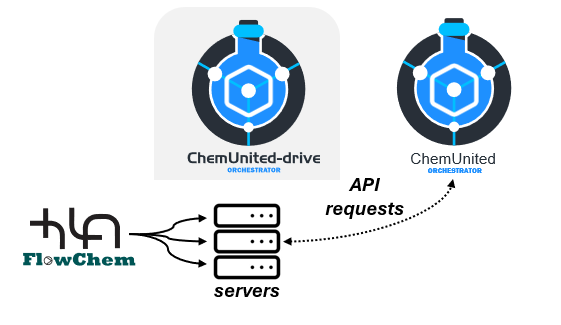
Device connectivity and access to hardware capabilities are provided through the FlowChem package. FlowChem exposes connected components (pumps, valves, sensors, etc.) through a server, which can be accessed via API requests. This approach:
improves interoperability (devices can be controlled in a consistent way),
keeps the orchestration software decoupled from hardware-specific implementations,
reduces direct dependencies between the workflow execution and the device drivers.
For more information, see the FlowChem documentation.
The ChemUnited-Drive, represented in the illustration above, is a helper tool that allows the user to launch, configure, and access the FlowChem server in a user-friendly way. More details are available in ChemUnited-Drive
Associate components
In the Connectivity panel (shown below), the list of online components is populated based on the selected FlowChem server address.
To associate a device with the workflow graph:
Select a component from the online components list.
Drag and drop it onto the corresponding component representation in the graph.
When the online component matches the abstract component type, the graph displays a connected indicator.
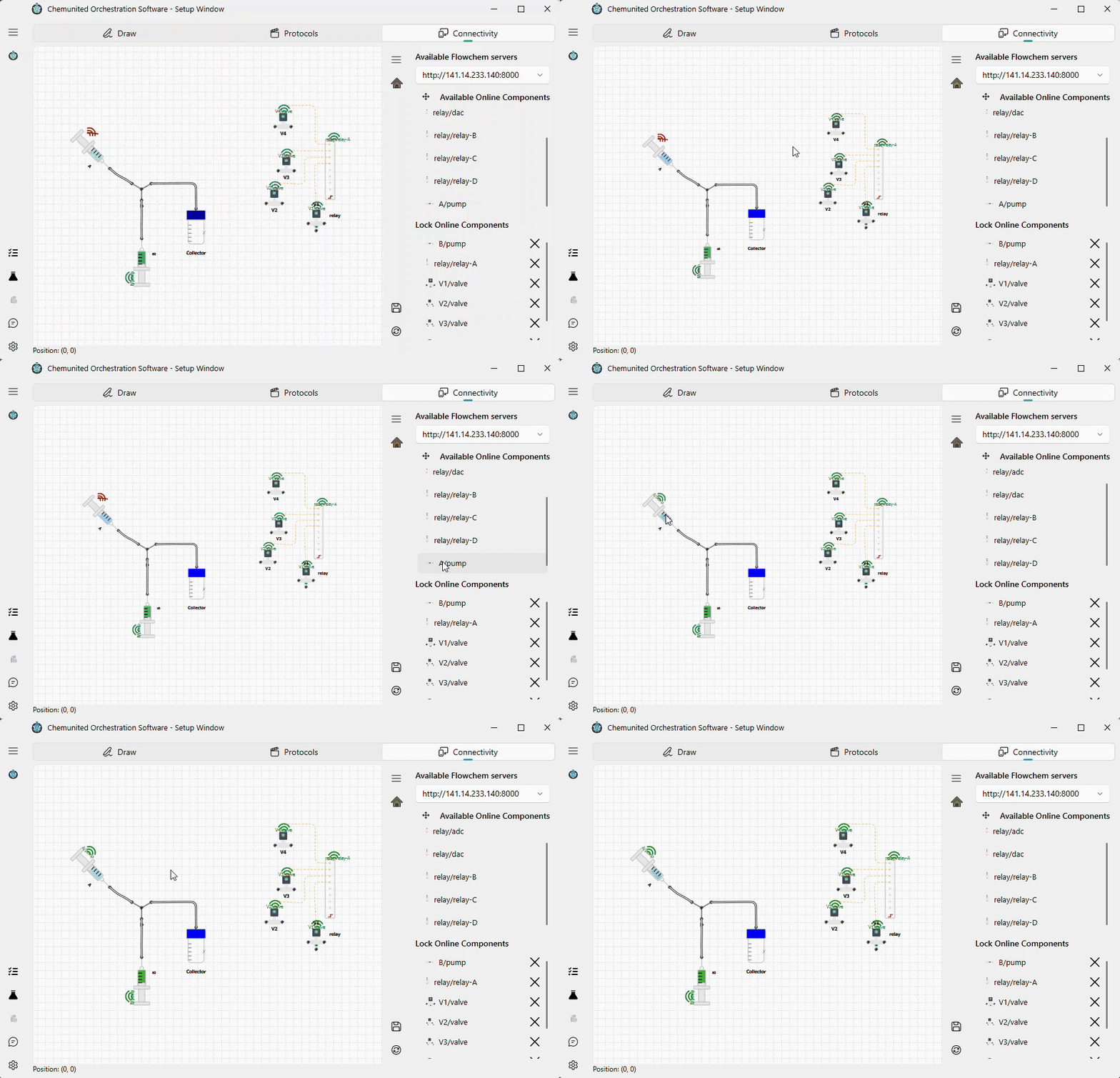
After this step, the abstract component in the workflow graph is linked to the real device exposed by the FlowChem server, and the process can control it during execution.