Process workflow
A process is built as a workflow made of multiple modules. The workflow controls how modules are executed, handling:
parallel execution
conditions (branching)
loops (repetition)
This keeps control logic outside individual modules (sometimes called blocks), so each module stays focused on a single task.
Module Types
There are three kinds of modules.
 Script
A Script module contains the actual commands to run. Use it to define the step-by-step actions of your protocol.
 Loop
Loop
A Loop module repeats one or more modules. Use it when a part of the protocol must run multiple times (for example: iterating over modules or repeating a some step).
 Conditional
A Conditional module creates a branching point in the workflow. Depending on the defined criteria, the process follows one branch or another.
Why use workflows?
Technically, you can implement loops and conditionals inside a single Script module using Python packages and native functions. However, we recommend using the workflow approach because it makes protocols:
easier to read and maintain
more modular and reusable
better structured (logic is explicit in the workflow)
Example
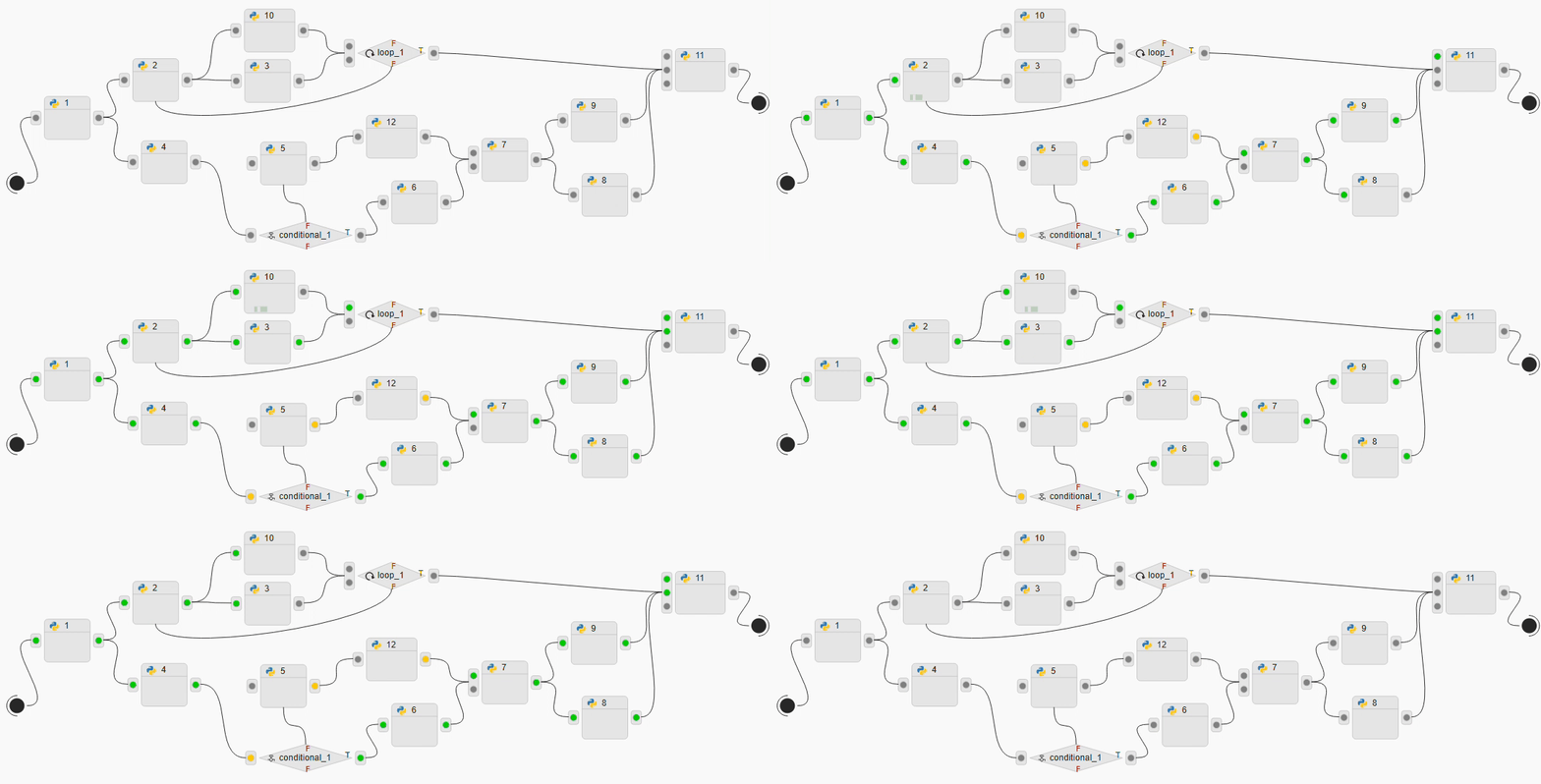
In the example above, you can follow how the workflow is executed:
1) Parallel execution (fan-out)
After modules 1, 2, and 7, the workflow splits into multiple branches. This means the next connected modules can run in parallel (when they are independent).
2) Loop execution
The module loop_1 repeats a part of the workflow. In this example, it triggers the repeated execution of the branch that starts at module 2.
3) Conditional execution (branching)
The module conditional_1 chooses one branch based on the condition criteria. Here, it selects between the branch starting at module 5 or module 6.
4) Synchronization (wait / join)
Some modules only start when all required input branches have finished. For example, module 11 waits until every incoming branch completes before it begins execution.
Building a module
To create a new module, click New Module.
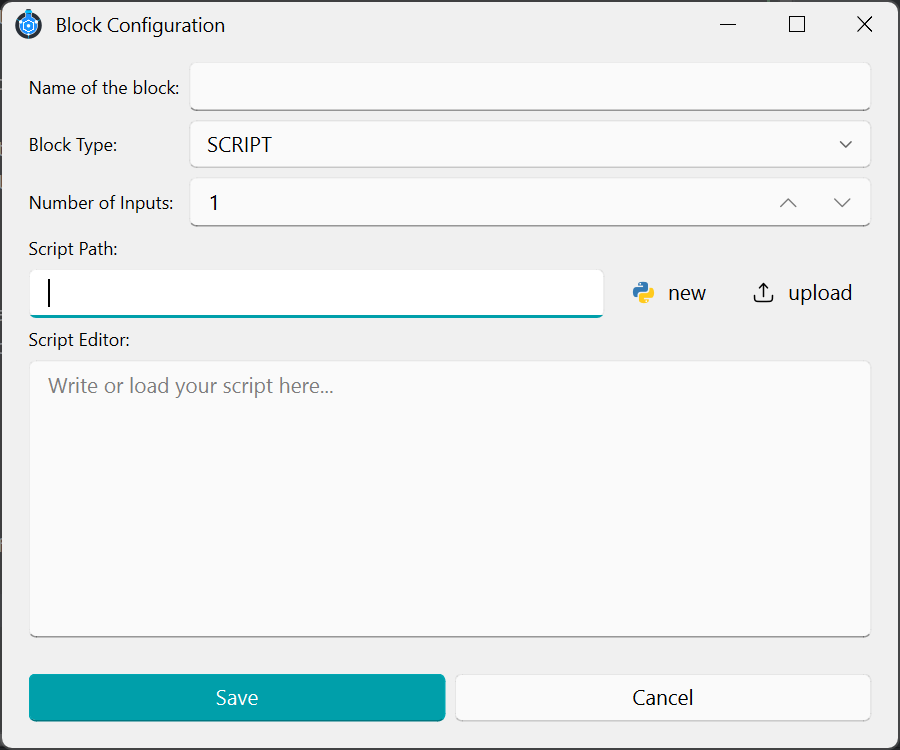
A window like the one below will open:
Required information
Fill in the following fields:
Module name
A unique name that identifies the module in the workflow.
Block type (Choose the module type):
Script
Loop
Conditional
Number of inputs
How many modules will connect into this module. This is used only for layout/design in the workflow editor (it does not change the execution logic).
Script path
The location of the script file associated with this module.
Script options
You can either:
create a new script for this module, or
upload an existing script.
Saving
When you click Save, the script is stored automatically in the project directory using this structure:
...\ <project_folder> \ <current_process> \ module_name.py
Note: The saved filename is based on the module name.