🧑🏫 Tutorial Example
In this tutorial, you will build a simple protocol with a single module. The module will transfer a defined volume of liquid from a source vessel to a collector.
In our example, we will move liquid from DMF to the Collector using a valve and a syringe pump.
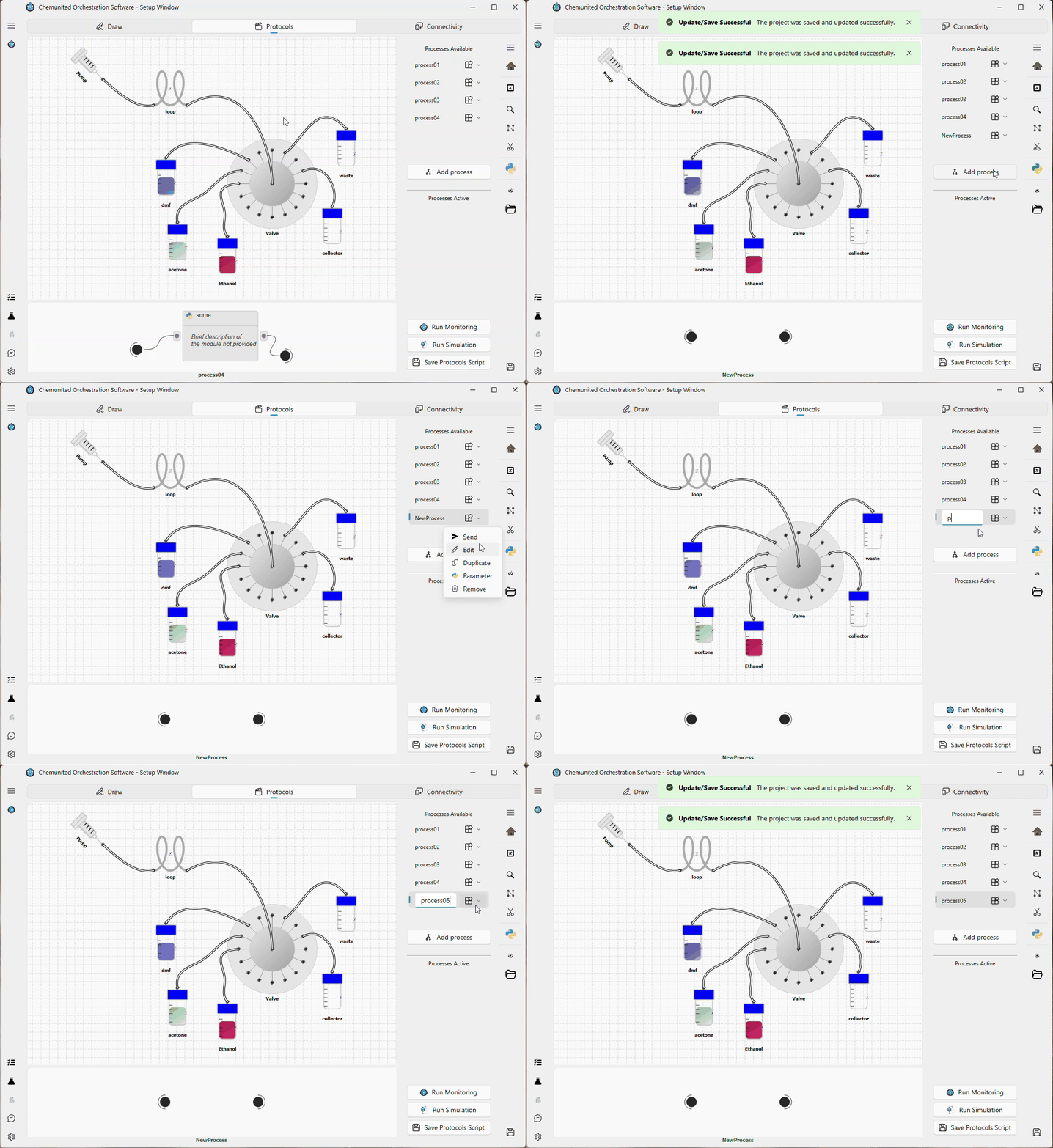
Step 1 — Create a new process
Create a new process and name it process 05.
Step 2 — Add a module to the workflow
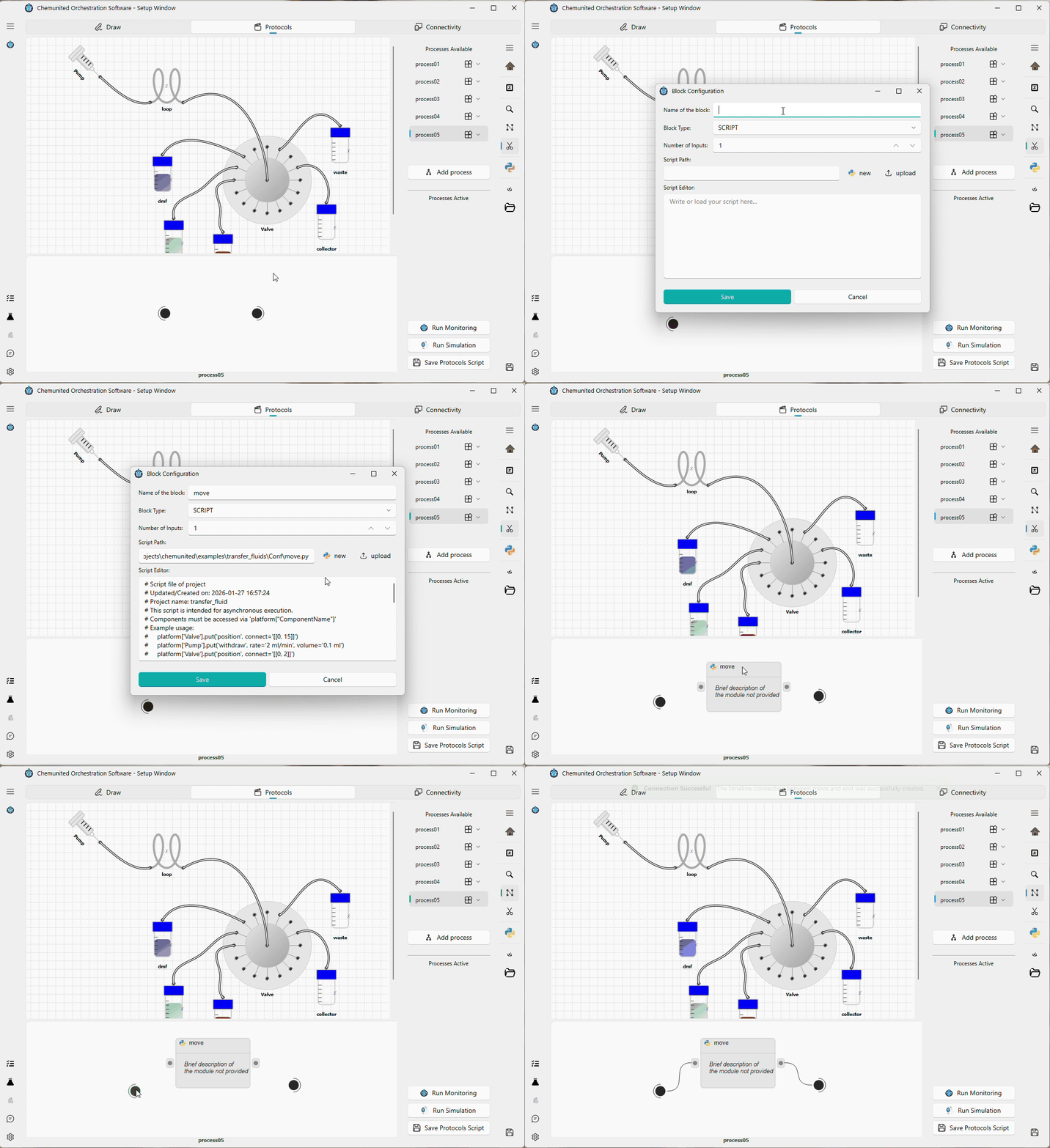
Add a new module called move to the process 05 workflow.
Then connect the Start and End nodes to this module.
Step 3 — Open the module script
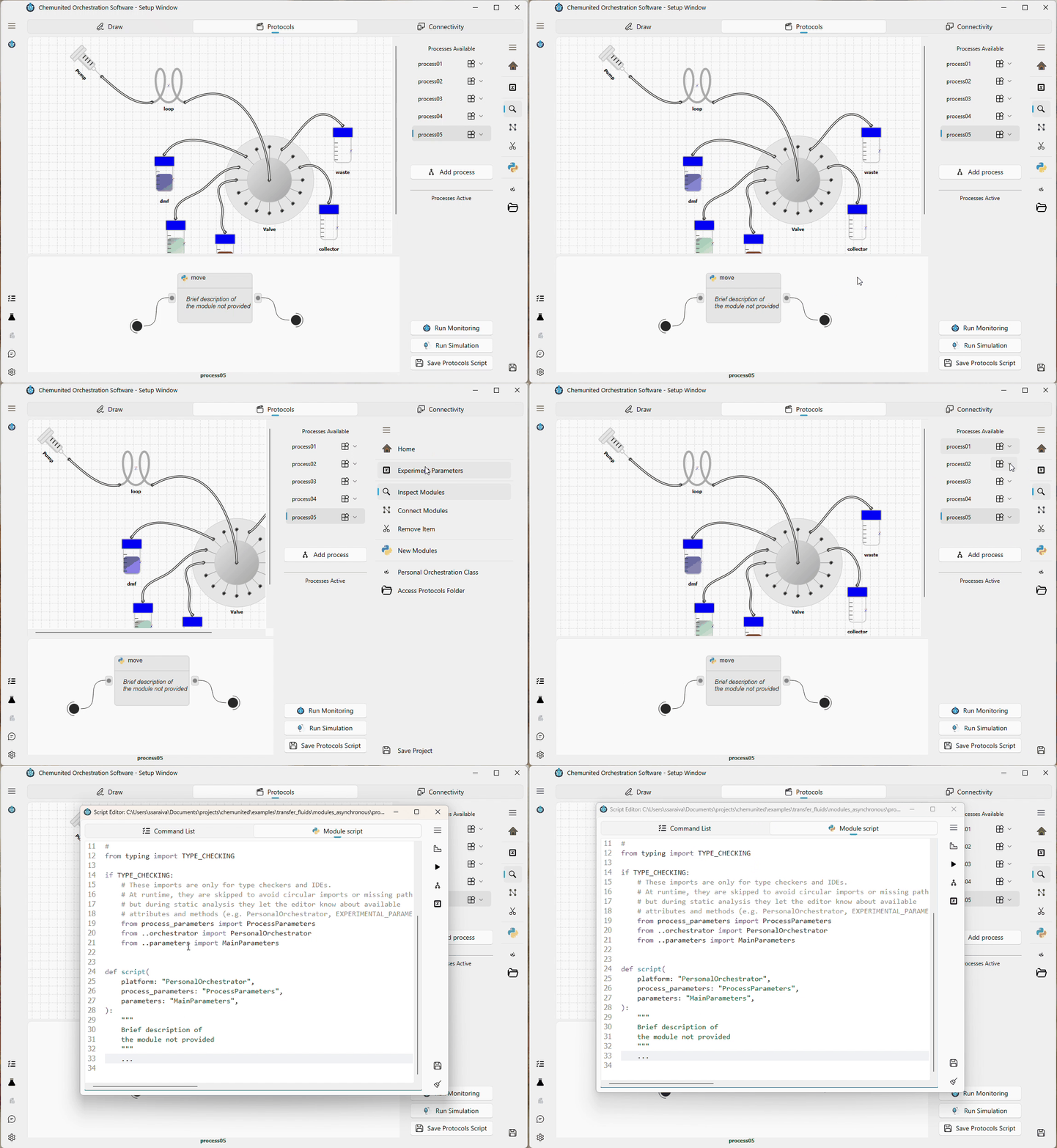
Enable Inspect Module mode and click the move module to open its script editor.
Step 4 — Implement the transfer procedure
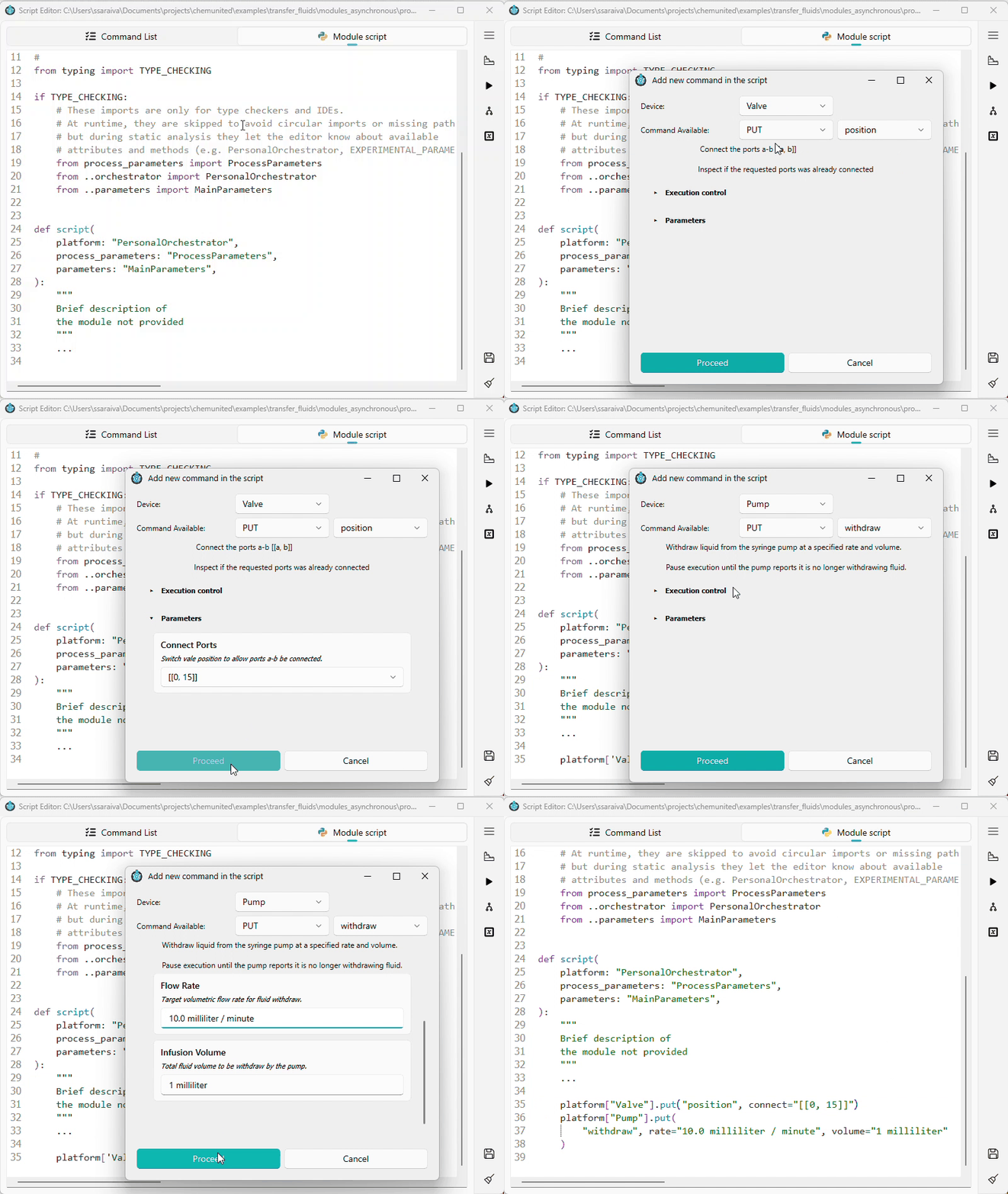
We will transfer 1 mL at a flow rate of 10 mL/min from the DMF vessel to the Collector.
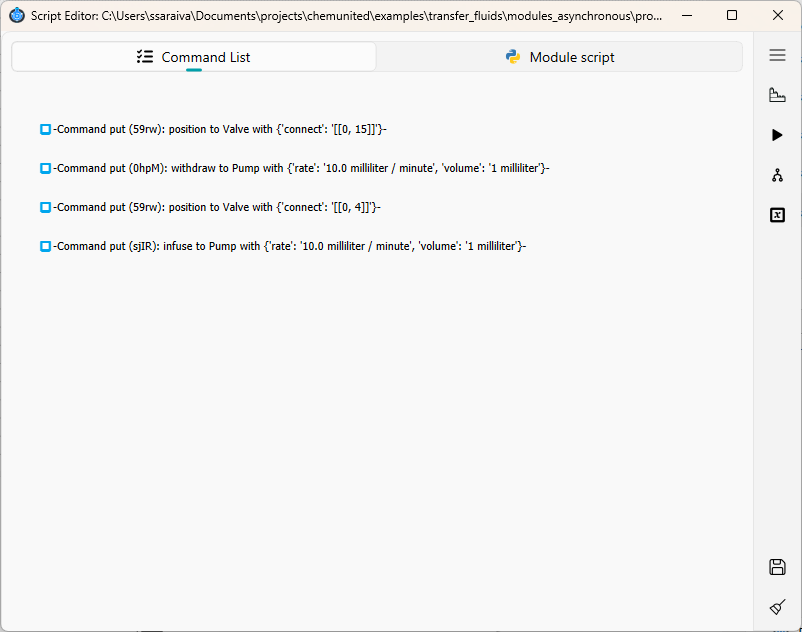
This transfer is implemented using four commands:
Switch the valve to position 15 (connects the DMF vessel).
Withdraw 1 mL using the syringe pump Pump.
Switch the valve to position 4 (connects the Collector vessel).
Infuse 1 mL using the syringe pump Pump.
This example does not account for dead volume between the vessels and the valve. It is intended for demonstration purposes only.
Final script
Your module script should contain the four commands below:
...
def script(
    platform: "PersonalOrchestrator",
    process_parameters: "ProcessParameters",
    parameters: "MainParameters",
):
    ...

    platform["Valve"].put("position", connect="[[0, 15]]")
    platform["Pump"].put(
        "withdraw", rate="10.0 milliliter / minute", volume="1 milliliter"
    )
    platform["Valve"].put("position", connect="[[0, 4]]")
    platform["Pump"].put(
        "infuse", rate="10.0 milliliter / minute", volume="1 milliliter"
    )
Also, you can inspect the command list in the script window.
Next steps
Your protocol is now ready to run in Simulation or Monitoring mode. Continue with the next tutorials for detailed instructions: