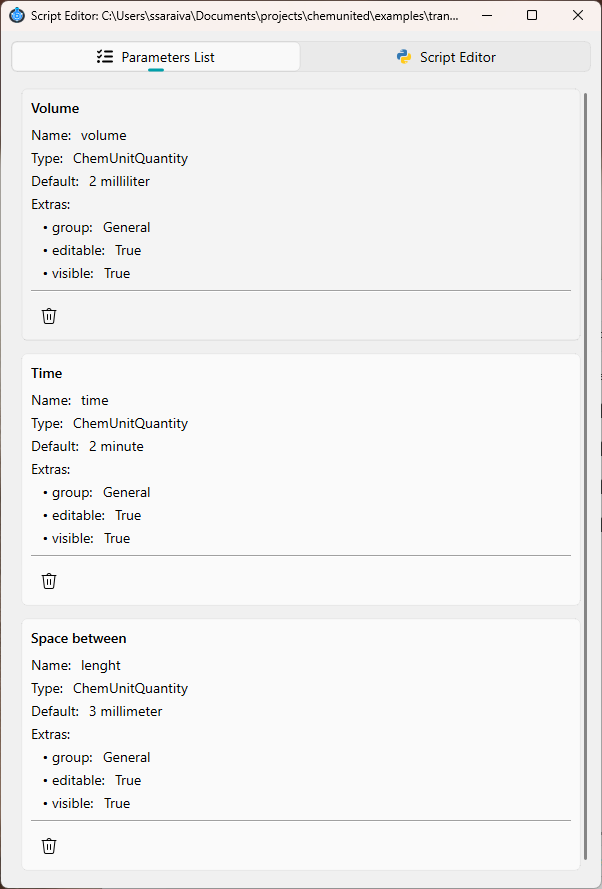
Parameters
The Parameters window is a helper tool for creating variables (parameters) and making them available inside your scripts.
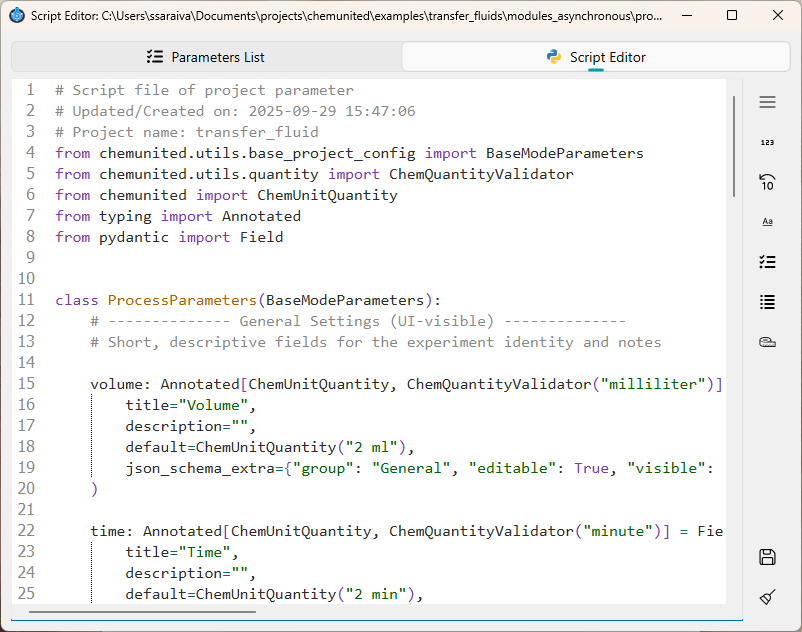
On the right side, you will find a list of parameters type that can be inserted into the script.
Creating a new parameter
When you add a new variable, a configuration window opens. In this window you can define the main characteristics of the parameter:
General
Defines what the variable is and how it should be presented to the user.
Organization
Controls where the variable appears in the GUI (for easier navigation).
Behavior
Controls whether the user can see and edit the variable in the GUI.
Validation
Adds value constraints to prevent invalid inputs.
Supported parameter types
The following parameter types are supported. When a parameter is created, a corresponding Field(…) definition is generated automatically.
Integer
repetitions: int = Field(
        default=3,
        title="Repetitions",
        description="Number of experiment repeats.",
        ge=1,
        le=20,
        json_schema_extra={"group": "Process"},
    )
Float
precision: int = Field(
        default=0.8,
        title="Precision",
        description="Experiment precision.",
        ge=0,
        le=1,
        json_schema_extra={"group": "Process"},
    )
String
project_name: str = Field(
        default="Simulation",
        title="Project Name",
        description="A short identifier for this setup.",
        json_schema_extra={"group": "General"},
    )
Array
secondary_solvents: list[str] = Field(
        default=["Toluene", "DMF"],
        title="Secondary solvents",
        description="Optional co-solvents used during the reaction.",
        json_schema_extra={"group": "Solvents"},
    )
Choice
solvent: str = Field(
        default="DCM",
        title="Main solvent",
        description="Select the solvent used in the process.",
        json_schema_extra={
            "group": "Solvents",
            "Options": ["DCM", "Toluene", "Acetone", "DMF"],
        },
    )
Physical
capacity: Annotated[
        ChemUnitQuantity,
        ChemQuantityValidator("ml"),
    ] = Field(
        default=ChemUnitQuantity("1 ml"),
        title="Component Capacity",
        description="Volumetric capacity of the component",
        json_schema_extra={
            "group": "Configuration",
        },
    )
Boolean
active: bool = Field(
        default=True,
        title="Active experiment",
        description="Whether this configuration is currently active.",
        json_schema_extra={"group": "Configuration"},
    )
How parameters appear to the user
After defining these parameters, the platform automatically generates the parameters list where the user can inspect if it is corrected build.